What's new
Christian Community Forum

Register a free account today to become a member! Once signed in, you'll be able to participate fully in the fellowship here, including adding your own topics and posts, as well as connecting with other members through your own private inbox!

All I Wanted to Do Was Watch a Movie

Ghoti Ichthus

Genesis 18:32, 2 Chronicles 7:14, Acts 5:29
All I wanted to do was watch a movie.

The color-coded plugs are (firmly) in the correct color-coded jacks in both the TV and the DVD/VCR
The TV and DVD/VCR both power up
The TV works with the antenna input
When I change the Source, the menu responses claim AV DVD isn't connected, Ditto for HDMI1 DVD

These two components have always been a horrible nightmare to get to work together. I have both remotes and both power up and work fine. The components were Parents'

What did I do wrong?
How do I fix this?

All I want to do is watch a movie :headbang:
 
Sis, forgive me if you already know this.

You need to make sure the color coded cables are in the A/V OUT jacks of the DVD player and that the other ends are in the A/V IN jacks of the TV. TVs often have two sets of A/V jacks, identically color coded, but one set is A/V IN and one set is A/V OUT. I've found people with everything properly connected as far as the white, red and yellow is concerned ... but corrected to the televisions A/V OUT rather than the A/V IN.

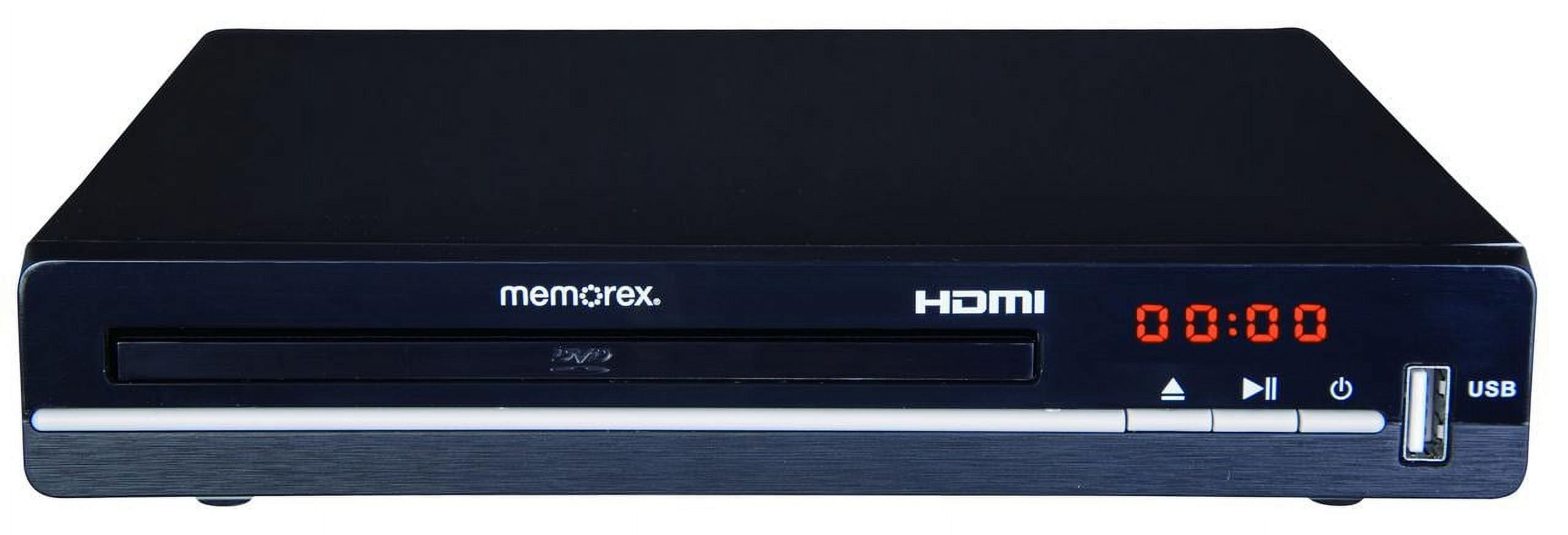
What works even better is if both the DVD player and the television have HDMI jacks. Then you only need one cable, since HDMI carries both audio and video through a single cable. Plug one end of the HDMI cable into your DVD player's HDMI OUT jack and the other end into one of your television's HDMI IN jacks. Bingo ... picture and sound.
 
First check what Adrian said above ^^

I know that ports on the back of the TV can go bad. This happened on one of my older TVs. It had 3 HDMI inputs and slowly one after the other died and stopped working. I would need to switch to the next port and continue. Finally, I got to the last port so I replaced the motherboard inside of the TV with one off eBay and I got all 3 ports working again. Turns out since I did not have the TV/Cable box on a surge protector, every time there was some sort of power surge, it burned out one of my HDMI ports (I theorize). I put the TV/Cable box on a surge protector after I replaced the motherboard years ago (5+ years) and I have not had another HDMI port stop working.

When I change the Source, the menu responses claim AV DVD isn't connected, Ditto for HDMI1 DVD
This means the TV is not getting any feedback. Check ports, cables, etc.

I would troubleshoot the ports first. Plug other known working devices into them and test that they all work. Does the DVD player work on other TVs/ports? Also some cables are "one way cables" so you may need to flip them around.

If you have a multimeter you can check the cables.
 
Sis, forgive me if you already know this.

You need to make sure the color coded cables are in the A/V OUT jacks of the DVD player and that the other ends are in the A/V IN jacks of the TV. TVs often have two sets of A/V jacks, identically color coded, but one set is A/V IN and one set is A/V OUT. I've found people with everything properly connected as far as the white, red and yellow is concerned ... but corrected to the televisions A/V OUT rather than the A/V IN.

What works even better is if both the DVD player and the television have HDMI jacks. Then you only need one cable, since HDMI carries both audio and video through a single cable. Plug one end of the HDMI cable into your DVD player's HDMI OUT jack and the other end into one of your television's HDMI IN jacks. Bingo ... picture and sound.

:thankyou:

The wires are connected appropriately as far as in and out on both the TV and DVD/VCR
I can't use the HDMI jack because that's being used for the bluetooth transmitter for my hearing aids. The TV doesn't have bluetooth capability, so I can't connect them directly.
 
First check what Adrian said above ^^

I know that ports on the back of the TV can go bad. This happened on one of my older TVs. It had 3 HDMI inputs and slowly one after the other died and stopped working. I would need to switch to the next port and continue. Finally, I got to the last port so I replaced the motherboard inside of the TV with one off eBay and I got all 3 ports working again. Turns out since I did not have the TV/Cable box on a surge protector, every time there was some sort of power surge, it burned out one of my HDMI ports (I theorize). I put the TV/Cable box on a surge protector after I replaced the motherboard years ago (5+ years) and I have not had another HDMI port stop working.


This means the TV is not getting any feedback. Check ports, cables, etc.

I would troubleshoot the ports first. Plug other known working devices into them and test that they all work. Does the DVD player work on other TVs/ports? Also some cables are "one way cables" so you may need to flip them around.

If you have a multimeter you can check the cables.

:thankyou:

Didn't know that about cables.

Everything's on a (good) surge protector. That's one of the first things I changed when I moved up here. Dad had everything plugged into the wall plugs and a power strip (not surge protector). Everything worked since then while at Parents' house, but watching a movie was always a huge ordeal of trial and error to get it to work. All of the plugs on the surge protector are working and it's never been tripped. All of the ports on the TV and DVD/VCR are tight.

This is the first time I tried to watch a DVD since moving to the apartment. This is the only TV I have connected (the other being a heavy box analog thing in the bedroom, which I can't move myself to access the back). The DVD/VCR is the only thing I have that has those types of plugs. I think the multimeter's in storage (along with the majority of my tools) :headbang: IIRC, I can get a small multimeter for less than $10 at AutoZone. Maybe at the good local hardware, too. Maybe a set of new cables would be pretty cheap.
 
Your TV only has one HDMI port? Sadly even an HDMI Switcher (not an HDMI Splitter which is 100% useless for your purposes) wouldn't help you. Any chance of being able to pick up a TV that has at least two HDMI ports?

:thankyou:

Not in the foreseeable future.

The DVD/VCR was given to Dad when he retired a long time ago, well before HDMI was even invented, so two HDMI jacks on the TV wouldn't be helpful, anyway. FWIW, the DVD does play, stop, eject, etc.
 
My money would be on either the cables being bad or the DVD player. Can you play a DVD in it while you mess with the cables plugging them in and out/flipping them and see if you ever see anything on screen?

$20 fix haha

:thankyou:

The TV and DVD/VCR aren't connecting. Until that happens, the only thing I can get is TV from the antenna.
I actually think the issue is the TV and stupidity of the operator [sigh]
Maybe the remote. I can get a free replacement remote from Xfinity, even though all I have with them is internet, unless they've changed that.
 
Back
Top